


Magic Piano Rush - Music Star
4.3100.00 Reviews
App Specs
- Version
- 1.0.23
- Updated On
- License
- Free
- Downloads
- 1,000,000+
- Developer
- Remaster Games
- Categories
- Music
- Platform
- Android
Screenshots
 Analysis by AppCompare
I came to Magic Piano Rush - Music Star looking for a quick music game rather than a piano lesson, and that distinction matters. This is a tap-and-timing experience: you follow moving tiles and try to land each touch in time with the track. I found it easy to understand but more demanding once the patterns sped up, which makes it a good fit for short bursts of focused play.
Getting in Tune with the Interface
First things first, the interface of Magic Piano Rush - Music Star is pretty slick. As soon as you open the app, you're greeted with a vibrant and intuitive layout. It's got this sleek, modern design that makes navigation a breeze. No need to fumble around trying to find your favorite songs or settings; everything is laid out in a user-friendly manner.
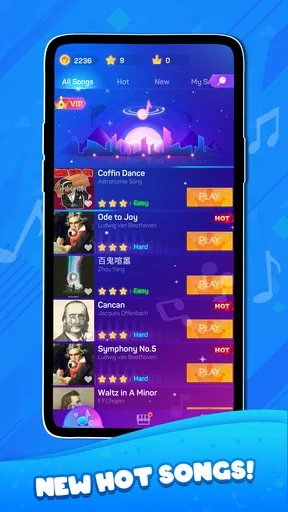
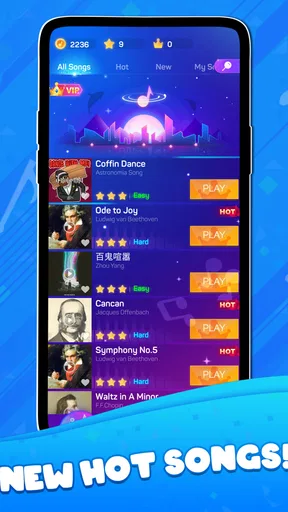
One thing I really appreciated is how they categorize the music. Whether you're in the mood for some classical masterpieces or the latest pop hits, they’ve got you covered. Just a few taps and you're off to your musical adventure. The search function is also fairly robust, making it easy to find exactly what you're looking for.
Playing the Game: A Musical Journey
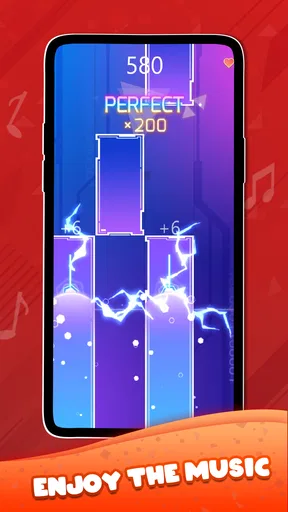
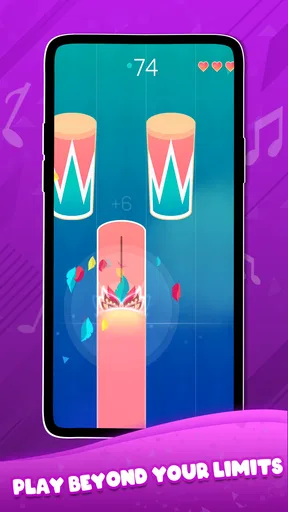
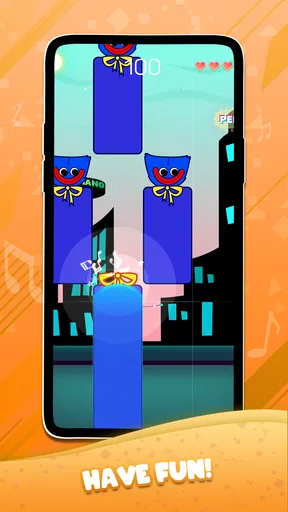
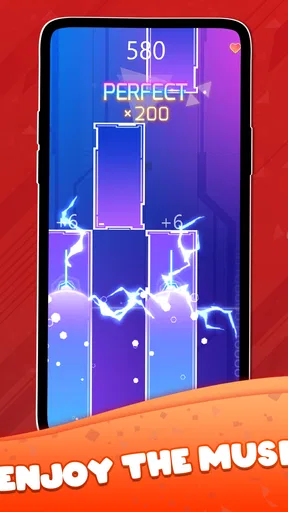
When it comes to gameplay, Magic Piano Rush is all about timing and rhythm. You tap on the tiles as they slide down your screen, syncing your taps with the music. The more accurate your taps, the higher your score. Trust me, it's both challenging and addictive.
The app offers various levels of difficulty, so whether you're a newbie or a seasoned pro, there’s something for everyone. I started off easy, but soon found myself hooked on the more challenging levels. The satisfaction of nailing those tricky sequences is real, folks.
Plus, the app keeps things fresh with regular updates, adding new songs and features to keep you engaged. It's like having a never-ending concert at your fingertips.
Sound Quality and Song Selection
Now, let's talk about the sound quality, because what's a music game without some killer audio, right? The sound is crisp and clear, which is crucial for a rhythm game. It’s like having your very own orchestra playing just for you.
Worth Reading Before You Choose

EA SPORTS FC Mobile 26 Is a Bigger Football Game, but It Takes Time

Flipboard Shows What News Apps Must Do Beyond the Feed

Switching to Android Auto Means Rethinking Your Driving Routine

Google Calendar Makes a Crowded Week Easier to Manage

Ludo King Makes the Most of the Minutes Between Plans

Baby Panda World Brings Quick Play to Modern Phones, but Its Game Library Feels Busy
The song selection is another highlight. There’s a decent mix of genres, from classical to contemporary, so you're bound to find something that tickles your fancy. And if you’re worried about running out of tunes to play, don’t be. With regular updates, the library keeps growing.
Customization and Community
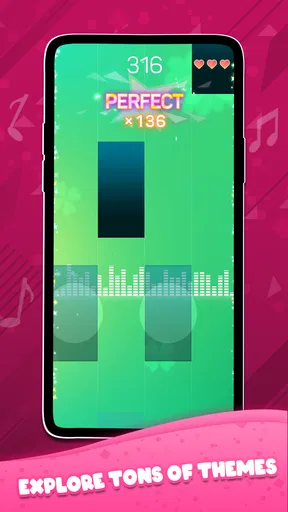
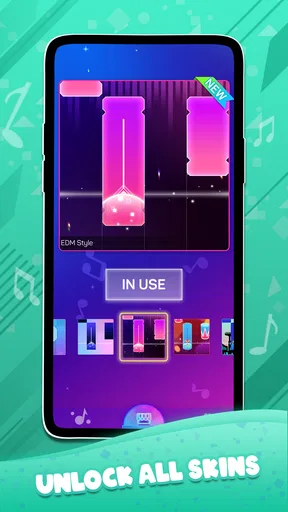
Another cool feature is the customization options. You can personalize your experience with different themes and piano skins. It's a nice touch that adds a bit of flair to the gameplay.
Moreover, Magic Piano Rush has a vibrant community aspect. You can share your scores, challenge friends, and even see how you stack up against players worldwide. It's all about bringing people together through music, and I’m here for it.
A Practical Routine for Better Runs
I got more consistent by treating each attempt as a small practice session rather than chasing a high score every time. I would start with a comfortable difficulty, focus on keeping my hands relaxed, and then move up only when the taps felt controlled. That approach makes the difficulty choices useful: they are not just a way to make the game harder, but a way to keep a session challenging without turning every mistake into frustration.
For a quick break between errands, I’d pick one track and replay it while paying attention to the sections where my timing slipped. On a longer session, switching songs helps avoid memorizing only one sequence. This is a simple habit, but it turns casual tapping into a more deliberate rhythm challenge without needing any special equipment or a formal practice plan.
One useful trade-off is that listening and reacting are not quite the same skill. A familiar tune can make a run feel easier because you anticipate its rhythm, but it can also tempt you to tap ahead of the moving tiles. I found it better to use the music as a guide while keeping my eyes on the lane, especially when a pattern became busy. If you tend to rush, deliberately settling into the visual timing can help more than trying to tap harder or faster.
Settings Worth Checking Before You Settle In
Before building a routine, I’d take a moment to look through the available settings and make sure the presentation is comfortable for your device and surroundings. The most practical adjustment is often not a clever game trick but a simple one: choose a place where you can see the tiles clearly and hear the track well enough to follow its beat. If you play with sound low or muted, expect to rely more on visual timing, which may change how naturally the game feels.
Personalization can make sessions more pleasant, but I’d treat themes and piano skins as visual choices rather than performance upgrades. Pick a look that keeps the moving tiles easy for you to track instead of choosing one solely because it looks flashy. This is a small decision, yet it can matter during faster passages, when distracting decoration is the last thing you need.
I also recommend checking how you hold the phone before starting a demanding run. A steady grip and a clear view of the screen make it easier to tap accurately, while playing one-handed in a crowded place can make a difficult section feel unfair. I would save harder attempts for a moment when both your attention and your hands are free; the game rewards concentration more than frantic tapping.
Choosing Tracks and Managing Expectations
The mix of classical and contemporary music gives the game a useful change of mood, but variety does not mean every track will suit every player. If you already know a song, you may enjoy recognizing its phrasing, yet familiarity alone does not guarantee an easy run. A track’s pace and tile sequence still determine how demanding it feels. I’d sample a few options before deciding whether you prefer steady patterns or something that calls for quicker reactions.
Search and music categories are handy when you have a particular mood in mind. They also help make a short session feel intentional: rather than scrolling without a plan, I can look for a style I want to play and get moving. If you are choosing the game mainly for one specific song, keep your expectations flexible and explore the available selection first; the stronger reason to try it is the rhythm-game format and its rotating mix, not a promise that any one personal favorite will be there.
For someone who wants to learn an instrument, this should be treated as entertainment, not a substitute for piano practice. Tapping tiles can sharpen attention to timing and create a satisfying musical challenge, but it does not teach finger technique, reading notation, or how to play a keyboard. If your goal is to build those skills, a lesson app or a real instrument is the more suitable choice. If you simply want a song-based game that asks you to react precisely, this is much closer to the mark.
Where It Fits Among Music Games
Compared with music-streaming apps, this is obviously less suited to putting on a playlist and leaving your phone alone: it asks you to participate throughout a track. Compared with a conventional piano-learning app, it is lighter and more immediately playful, but offers less instruction. Its appeal sits between listening and skill practice, with the emphasis firmly on following on-screen rhythm patterns.
That makes it especially good for people who enjoy quick arcade challenges, like music as a backdrop, and want a clear score-oriented reason to replay a track. It is less appealing if you want open-ended composition, detailed music theory, or a hands-off listening experience. I would also steer away if repeated timing challenges tend to make you tense; the same patterns that feel rewarding to a patient player can become irritating when you only want to relax.
There is a social angle in sharing scores and challenging friends, which can add a friendly reason to return. I’d use that as a personal benchmark rather than proof that every session needs to beat someone else. Playing for your own improvement keeps the experience enjoyable, especially when a tricky run takes a few attempts. If competition is what motivates you, the community side gives you another way to make a familiar track feel fresh.
How the Free-to-Play Choice Affects the Experience
The game is free to start, with in-app purchases priced from $7.99 to $19.99 per item. I’d begin without spending and see whether the available play loop, songs, and customization are enough for your habits. Paid items can be tempting when you are invested, but they are not a reason to assume that a purchase will improve timing or make a difficult sequence disappear. Decide based on what you actually want from the game rather than buying simply because you have had one frustrating run.
It is suitable for Everyone, and Remaster Games is the developer. The current version is 1.0.23, it was released on Dec 6, 2023, and it requires Android 7.0 or later. Those details make it straightforward to check basic compatibility before installing. It has a 4.3 average from around 1.3 thousand ratings, with over 1 million installs; I take that as a sign that it has found an audience, not as a guarantee that its song mix or tapping style will suit you.
One practical question is whether it works for a brief daily routine: in my view, yes, because a track gives you a natural stopping point and you can choose a manageable challenge. Another is whether you need musical experience: no, the basic interaction is approachable, and the difficulty range gives newcomers room to start gently. If you are very sensitive to timing pressure, though, begin at the easiest level and stop when the game stops feeling fun. There is no benefit in turning a casual music game into an obligation.
Who Should Give It a Try
I’d recommend it to a friend who likes tapping games, enjoys hearing different styles of music, and wants something that can fill a few spare minutes without requiring a long setup. It is also a reasonable pick for someone who likes comparing scores with friends, as long as the social competition stays light. The best everyday use case is a short break when you can give the screen your attention: choose a track, focus on the tile timing, and put the phone away when the break ends.
I would skip it if you mainly want to listen to music, learn proper piano technique, or play a game that does not depend on quick visual reactions. People who need a calm experience may also prefer a music player or a less timing-focused game. That is not a flaw so much as a clear difference in purpose. Here, your hands stay busy and your attention stays on the screen, so it works best when that active style is exactly what you want.
Sound Quality and Song Selection
Now, let's talk about the sound quality, because what's a music game without some killer audio, right? The sound is crisp and clear, which is crucial for a rhythm game. It’s like having your very own orchestra playing just for you.
The song selection is another highlight. There’s a decent mix of genres, from classical to contemporary, so you're bound to find something that tickles your fancy. And if you’re worried about running out of tunes to play, don’t be. With regular updates, the library keeps growing.
Customization and Community
Another cool feature is the customization options. You can personalize your experience with different themes and piano skins. It's a nice touch that adds a bit of flair to the gameplay.
Moreover, Magic Piano Rush has a vibrant community aspect. You can share your scores, challenge friends, and even see how you stack up against players worldwide. It's all about bringing people together through music, and I’m here for it.
So, is Magic Piano Rush - Music Star worth your time? If you enjoy music games and love a good challenge, I'd say give it a shot. It's free to download, and while there are in-app purchases, you can still enjoy a lot without spending a dime.
In conclusion, this app is a delightful blend of fun, challenge, and musical magic. Whether you're killing time or seriously honing your tapping skills, Magic Piano Rush offers an entertaining escape into the world of music. So, go ahead, download it, and let your fingers dance to the rhythm.
Pros
- Engaging song library with frequent updates.
- User-friendly interface for all ages.
- Variety of difficulty levels for learners.
- Offline mode available for uninterrupted play.
- Responsive touch controls enhance gameplay.
Cons
- In-app purchases can be costly.
- Ads can be intrusive during gameplay.
- Limited customization options for themes.
- Requires frequent updates for new songs.
- Some songs locked behind paywalls.
FAQs for Magic Piano Rush - Music Star
What is Magic Piano Rush - Music Star?
Magic Piano Rush - Music Star is a rhythm-based music game available for both Android and iOS devices. Players tap on the screen to the beat of popular songs, simulating the experience of playing the piano. With a wide variety of tracks to choose from, the game offers an engaging way to enjoy music while improving your sense of rhythm.
Is Magic Piano Rush - Music Star free to play?
Yes, Magic Piano Rush - Music Star is free to download and play. However, it contains in-app purchases that allow players to unlock additional songs, remove ads, and gain other premium features. These purchases are optional, and players can still enjoy a substantial portion of the game without spending any money.
What are the device requirements for Magic Piano Rush - Music Star?
Magic Piano Rush - Music Star requires iOS 10.0 or later for iPhones and iPads, and Android 5.0 or later for Android devices. It is relatively lightweight, but for the best experience, it is recommended to play on devices that have sufficient RAM and processing power to handle the game's graphics and responsiveness.
Does Magic Piano Rush - Music Star require an internet connection?
Magic Piano Rush - Music Star can be played offline, which is great for enjoying the game on the go without worrying about data usage. However, an internet connection is required for downloading new songs and accessing certain online features, such as leaderboards and community events.
Can I customize my gameplay experience in Magic Piano Rush - Music Star?
Yes, the game offers several customization options to enhance your gameplay experience. Players can choose from different themes, song packs, and difficulty levels to tailor the game to their preferences. Additionally, there are settings available to adjust the sensitivity and feedback of the taps, ensuring a personalized and enjoyable experience.


